
Welcome back to the 3rd Edition of The Ultimate Note-Taking Solution. Since January, my note-taking universe has… evolved. Violently. It’s been an emotional journey. Obsidian.md almost didn’t survive the purge. VS Code nearly got cut too. Notion made a dramatic return, like an ex-partner who swears to know your weaknesses and will be there as a friend. Forever.
The new kid on the block was CursorAI, who came in with a lot of flair. And now, every tool now has AI baked into it — which mostly means they replace n-dashes with m-dashes and back — you know, to up their “written-by-humans” score.
Anyway, let’s dive in.
Introduction
When I wrote the first edition about 18 months ago, I was deep in developer mode. Software gets written in special programs called IDEs — short for Integrated Development Environments. These things are powerhouses. They can compile, test, debug, package — and occasionally freeze your entire machine just for fun. But here’s the catch: they’re built for code, not for taking notes. They don’t care about your ideas, your scribbles, or your “one-liner to fix it later.” Just code. Nothing more.
Why would a developer need notes? Because code isn’t just code — it’s decisions, weird bugs, workarounds, passwords, half-baked logic, and reminders like “fix this later if it breaks production.” But IDEs don’t care. Notes are an afterthought. And switching between projects, tabs, and tools — browser, terminal, test runner, note folder, back to IDE — turns into a juggling act.
Meanwhile, your IDE is quietly draining the life out of your RAM. Save a file in IntelliJ, and you might trigger auto-imports, formatting, compilation, maybe even a full build. One misplaced memory setting, and your tiny one-line fix might crash your whole machine.
So what do developers do instead?
We fall back to the lightest thing we can find: Notepad. Or Notepad++. Or whatever basic text editor happens to be lying around. You start with one file. Then maybe two. Then you forget to save.
I still remember when Notepad++ introduced autosave — and it worked even on untitled files. “Untitled – 1.txt” became a hero.
Eventually, you end up with a graveyard of unnamed files: Untitled - 1.txt, Untitled - 2.txt, Untitled - 3.txt. Chaotic? Yes. But hey — the information was there. Sort of. If you knew where to look.
Of course, it’s not just developers who need notes. Editors need them. Writers. Designers. Anyone who dreads hitting “Send” on a half-baked email.
I’ve been attempting long-form writing in Obsidian lately. Yes, you heard that right — while past editions of this article were written in Medium itself, this one is being crafted inside Obsidian.md.
A round of applause for me, please. Preferably with slow, dramatic claps and ominous background music.
Look, I’ll admit it — I wasn’t always an Obsidian fan. In fact, Obsidian used to annoy the hell out of me.
“Markdown editor,” they said. But then… it locks me out of basic .txt files? Really? Markdown and plain text are practically twins. Just open the file, let me edit, and save it — without mangling the formatting into oblivion.
Same goes for .html, .xml, .json, .js, .sh, .ps1, .svg, .cmd, and a dozen other simple text-based formats. No rendering. No magic. Just open the file, and stay out of the way. Somehow, Obsidian still manages to mess that up. Bravo.
And then… cue extensions. Tum-tum-TUM.
Once you jailbreak Obsidian, the universe opens up. It’s like getting your hands on a working Star Trek teleporter — disassemble your ideas, beam them across space, and reassemble them exactly how you want. Yes, even with humans.
You should be excited by now. Lets get into it!
Missed the last edition? Here’s your second chance to catch up before I rewrite history: The Ultimate Note-Taking Solution – 2nd Edition

Markdown: The Middle Ground
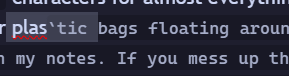
I used to hate markdown. It felt too… primitive. Hashes, exclamations, backticks, quotes — random symbols scattered like bubblegum under a school desk. Or worse — plastic bags drifting down the information highway.
I didn’t want to see any of that in my notes. And heaven forbid you mess up a symbol. Forget one tick, and suddenly your note collapses into a formatting nightmare.
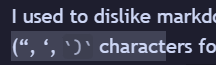
Like this. There’s a missing backtick somewhere near the word “characters” — and good luck spotting it without flipping out of Reading Mode. Which, let’s be honest, I do constantly. In every tool. Every time.

Still not convinced? That mess down there was supposed to be a table. Urgh. Disgusting. Urgh again.
|  |
|  |
|
Then there’s the markup circus: **, ^, >, <, ! — all sprinkled around your content like landmines. If you’re going to overlay formatting logic using magic symbols, why even bother with raw mode? Just give me full WYSIWYG and be done with it.
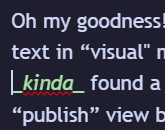
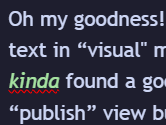
Obsidian’s answer? A clever little hack called “Live Preview” — a sneaky mode that switches between edit and preview the moment your cursor blinks. It’s like watching your notes play jump rope with your eyes.
 |  |
|---|---|
| Before (see cursor) | After (cursor gone) |
Obsidian playing jump rope with your eyes.
And do you know what’s worse? We now have different flavours of “simplistic”. It’s becoming just as custom, flavoured, and proprietary as the legacy, encoded formats like Microsoft’s doc, docx, ppt, pptx, etc.
GitHub-flavoured markdown. Obsidian-flavoured markdown. GitLab markdown. Vanilla markdown. And not one of them plays nicely with the others. My Obsidian links break in GitHub. My dataview magic? Useless outside Obsidian.
It’s maddening. Markdown started as the great unifier — and now it’s splintering into markdown dialects with tribal customs and secret handshakes.

What should’ve been simple turns into a formatting nightmare. Markdown — the format built for simplicity — ends up breaking itself between tools.
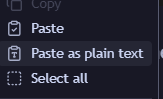
A kind reader once suggested a workaround: “Just paste as plain text.” Which… works. But also completely misses the point.
I’m copying markdown — not cursed glyphs from an ancient grimoire. Just treat it as markdown. Don’t re-interpret the formatting of the formatting. That’s how wars start.
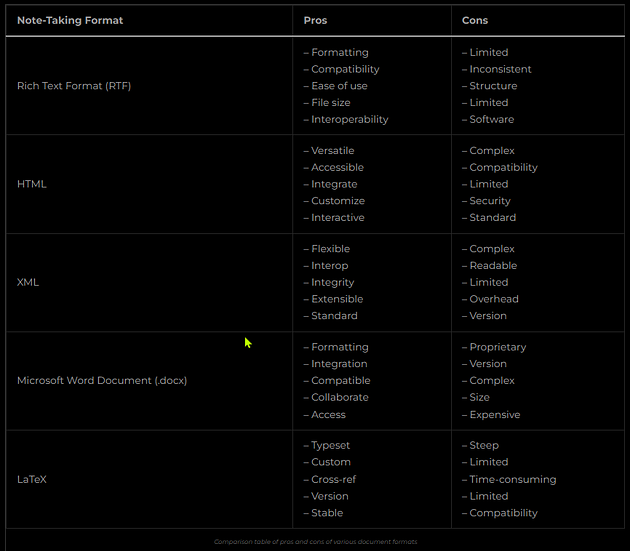
Sure — markdown needs rendering to look half-decent. But the alternatives? Absolute madness:
- Rich Text Format? No. Just no.
- HTML, XML? Not unless you enjoy writing closing tags for breakfast.
- Microsoft formats? Good luck syncing
.docxacross platforms without losing your soul. - LaTeX? A compiler. Powerful. Magnificent. I used it for my masters. But not for daily notes!
- Notion? Almost as bloated as Microsoft — just with prettier fonts. But databases with calculations!
Markdown, despite its quirks, is the only thing that strikes a livable balance — between syntactic litter and visual sanity.
I want to read my notes the way they’re meant to be read — even while editing.
Obsidian’s “Live Preview” mode kinda gets us there. It tries. But editing a large table in that mode? Watch your columns jump, your borders bounce, and your sanity evaporate.
More often than not, I bail. I run back to VS Code, where the table borders line up like obedient soldiers — automatically.
Editors: The Gatekeepers of Information
In software development, information is scattered like breadcrumbs in a hurricane.
- Some of it is loosely related: project notes, IP addresses, login creds, debugging steps.
- Some of it isn’t: what you fixed last week vs what broke this morning.
- And occasionally, there’s structure: detailed processes that deserve a proper home — usually in Confluence, SharePoint, or whatever your team has collectively decided to hate the least.
System specs? Dump them in the company wiki. Test plans? Probably Excel. Release notes? Word or Confluence again. We adapt. We survive. But it’s rarely elegant.
Access Across Platforms: The Cloud Solution
The software world is split down the middle: Windows people and Not-Windows people.
If you’re on Windows, you’ve used Notepad++. Everyone has. On Linux? There are dozens of editors — none quite as convenient.
Here’s the problem: your notes live in one OS… and then your next project doesn’t. Suddenly, you’re stuck trying to open .txt files from Notepad++ while knee-deep in a Linux terminal.
Enter WSL — Windows Subsystem for Linux — where you exist in both worlds at once. Sounds magical. Until Git gets involved. Now you’ve got mismatched line endings (LF vs CRLF) quietly corrupting your scripts.
Enter dos2unix. A hero. A fixer. A lifeline. Use it, or cry. Or, clone your notes repo in both windows and linux – which takes us a step backwards.
The Power of Accessibility
Yes — I’ve opened the same notes in three different apps at once.
Once, I opened a subfolder in Microsoft SQL Management Studio just to access a batch of SQL scripts. Another time, I fed the entire vault into Logseq — because why not?
Honestly, I’ve lost count. If it can read text, I’ve probably forced it to read my notes.
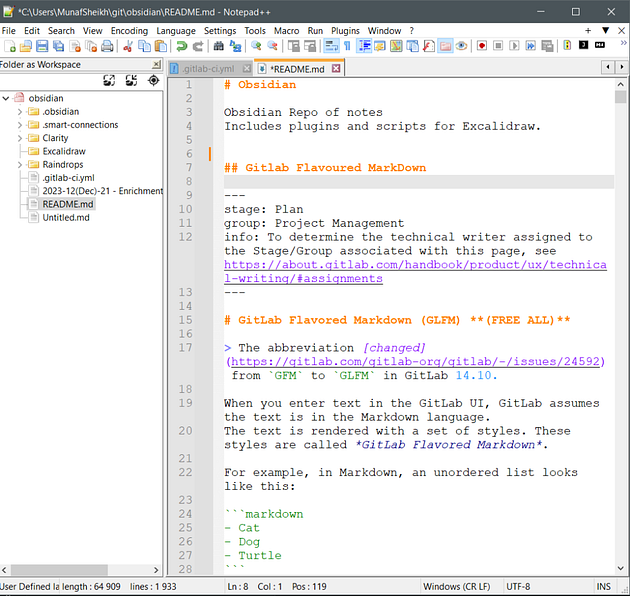
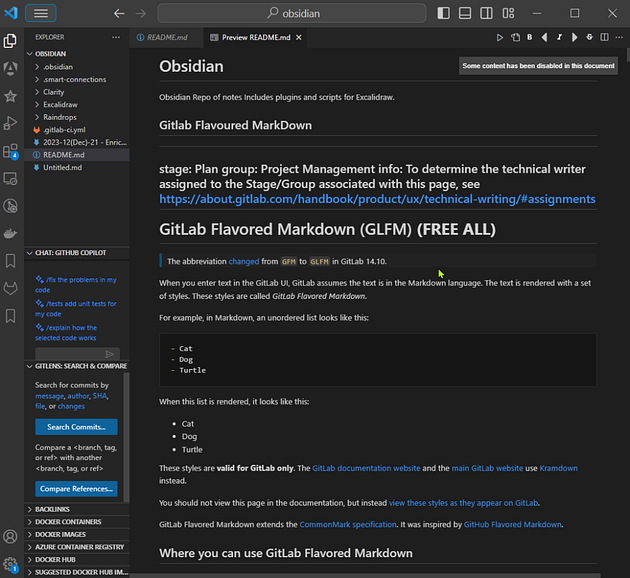
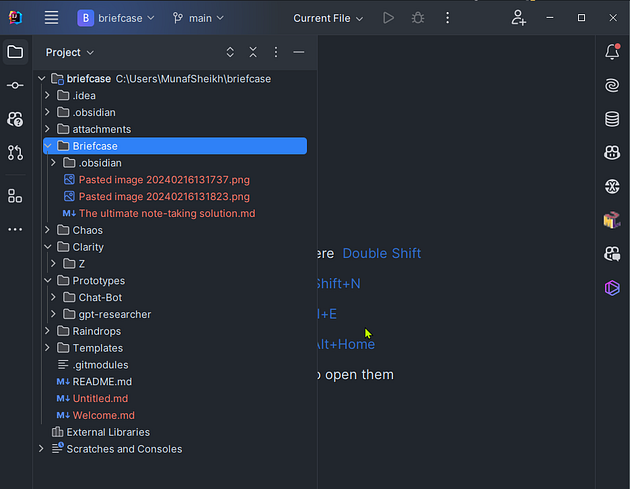
I like storing my notes where I write code. Why switch tools when I can follow method names, trace call hierarchies, and prototype scripts — all while drafting an article?
This isn’t just note-taking. It’s knowledge engineering.
The biggest shift in my note-taking system? It now includes full applications and runnable code.
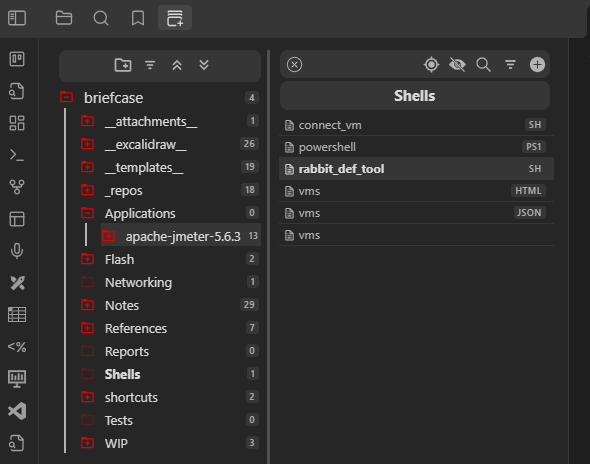
Over the past two decades, I’ve cycled through Bitbucket, GitHub, and GitLab. Honestly? The platform doesn’t matter. As long as I can git clone, I’m home.
Editors? Only two survived the chaos: VS Code and Obsidian. I still carry Notepad++ Portable in my briefcase — like a relic. But it rarely sees daylight.
If you looked closely, you might’ve seen a .gitlab-ci.yml file hiding in one of the earlier screenshots. That’s no ordinary config file — it triggers a GitLab CI pipeline that auto-publishes my notes to a GitLab Pages site. Why? So I can browse my markdown vault in a browser — no plugins, no distractions, just raw rendered power. But you cant get this level of accessibility without addons.
I’ve since migrated from private GitLab to GitHub.com. Also — I’ve weaponized my Obsidian shortcuts to auto-generate images from diagrams.
Huge win for markdown clarity.
Running code inside your notes is the final form of digital power-user. It’s what separates passive notetakers from true knowledge engineers.
The only catch? The output from these tools must be usable outside the tool itself. Otherwise, it’s just another pretty prison. Markdown deserves better. We all do.
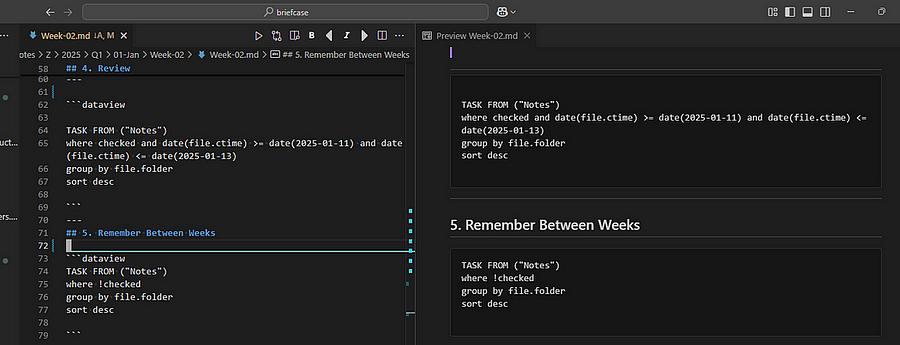
Dataview rendering as a codeblock in VS Code and other markdown hosts. It looks awful. It’s unusable. Good luck hosting this on your markdown wiki.The Notepad++ extension community may not be as large as Obsidian’s. But to be fair, Notepad++ extensions aren’t locked to just text processing. You want regex-powered multi-file search? It’s got it. You want to hijack system resources? You probably can. If I’m wrong, tell me. I’d love to be corrected by someone with too much free time.
Still, a year later, I too have moved off Notepad++.
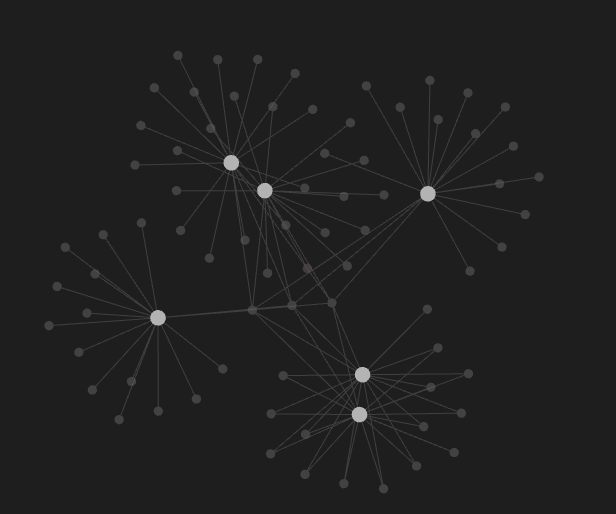
I just don’t use the node graph enough.
Yeah, it looks cool. Like a neural map of a genius brain. But in practice? It’s more like a Pinterest board you promised yourself you’d organize back in 2021. I rarely zoom into it. I don’t use it to navigate. And I definitely don’t rely on it to surface any real connections. Maybe someday I’ll go full Zettelkasten and make meaning out of the madness — but for now, the graph is just eye candy.
What I do care about is precision access:
- Open the file
- Jump to the section
- Run the script
- Check the result
Which is why I keep falling back to VS Code. It’s clean. It’s structured. It lets me wire up linting, formatting, autocomplete, diagrams, and terminals in a single unified interface. That kind of power should feel clunky, but in VS Code, it just feels right.
Especially when I drop in diagrams as code.
VS Code, though? SO close to perfect.
I love my diagrams — especially when they live with my notes and code, not apart from them. And of course you can’t do that when Obsidian refuses to load anything but MD.
- PlantUML: my old warhorse. Verbose, yes. But stable, robust, and enterprise-grade.
- Mermaid.js: slick and markdown-friendly — until you hit sequence diagrams and suddenly everything breaks.
- D2: my current favourite. Clean syntax, gorgeous output, and built for clarity. Feels like writing poetry that compiles into architecture.
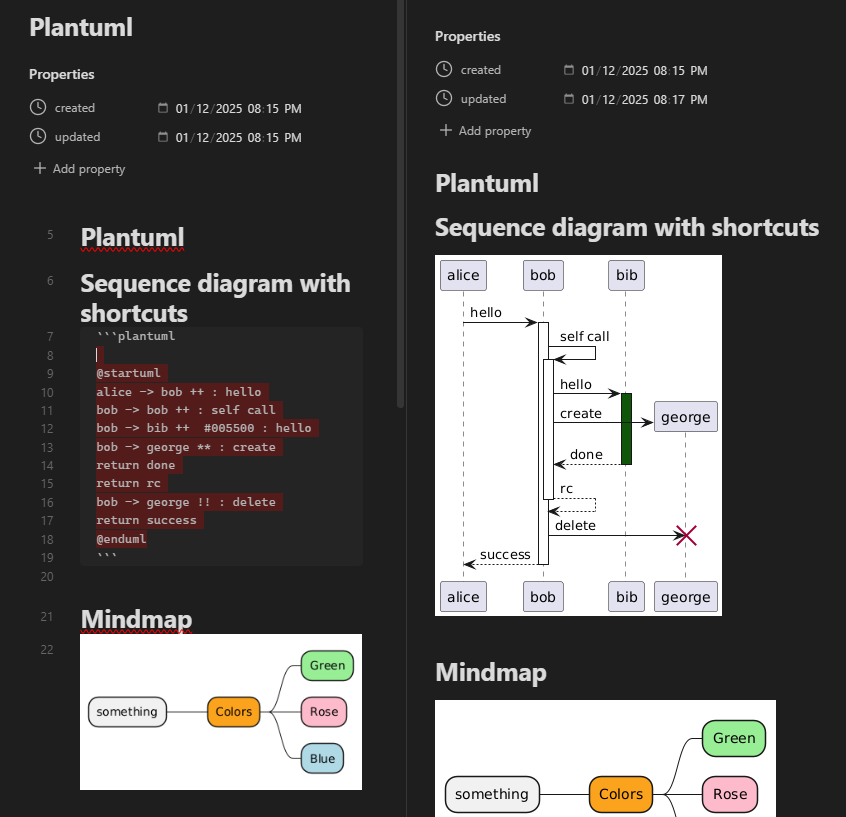
The last big surprise I had from VS Code was that Excalidraw markdown images render now!
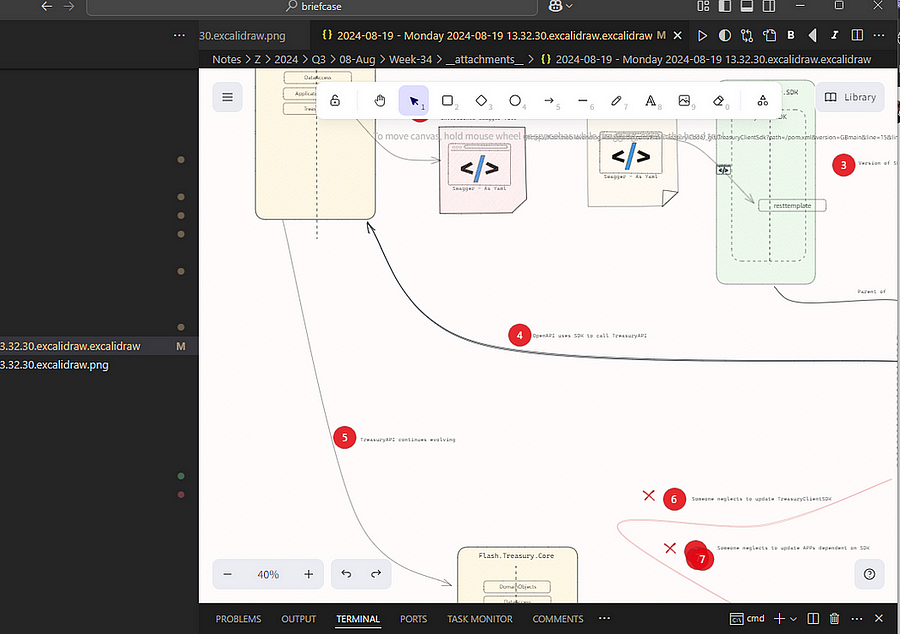
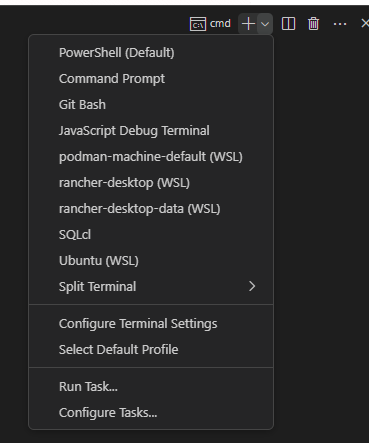
And finally — native terminals. Half my life is spent in a shell. When I tested the terminal plugin in Obsidian, it fell apart. No PowerShell. No WSL. Just… sad UI dreams.
CursorAI as a Replacement for VS Code
I tried it. It didn’t work for my use case. That isn’t to say it won’t work for you. A few guesses at why it didn’t work for my use case.
- My note repository contains not only notes, but also
- Powershell scripts – linked to Windows environment.
- Bash scripts – static linked to WSL environment.
- PDFS and Documents
- Binary format files (installers)
- HTML documentation saves
- Images, both normal, but also Diagrams-as-code.
- Large code libraries, Javascript libraries, and Java projects – which may include classfiles.
- Jars. Docker images
- CursorAI Extension ecosystem wasnt as comprehensive, or evolved as VS Code
CursorAI was still new to the party, and might just be ready for Notes. I used it to Vibe Code the Hover Chrome Extension. But I’ve since uninstalled it.
Obsidian’s Saving Grace
Let me be fair. I’ve been harsh on Obsidian. But the one thing that saved it from the uninstall queue? Extensions.
“See a need, fill a need.” — Robots (2005)
Obsidian extensions are its secret weapon. Once you start jailbreaking the app, it transforms. It’s like watching an old Nokia turn into an iPhone after a firmware update.
You can build almost anything:
- Custom views
- Embedded sites
- Scripting engines
- AI workflows
- Diagram renderers
- Git automation
Don’t know how? Wait. Someone will. Or you’ll figure it out.
That said, I don’t like depending on extensions.
I’ve seen IT policies go from “install anything” to “no plugins, no exceptions” overnight. Marketplace access blocked. Plugin updates frozen. Your workflow? Toasted.
That’s why I script things myself when I can. Drop to terminal. Pipe. Grep. Move on.
Still, a few plugins are now mission-critical:
Obsidian:
- UNITADE – Markdown boundaries? Shattered.
- OpenGate – Embed full-blown websites in your notes.
- Excalidraw – Draw and diagram directly in your vault.
- PlantUML/D2 – Visual logic as code.
- QuickAdd – Automate, extend, dominate.
- Git – Sync and version your vault.
- Templater – Dynamic, scriptable note templates.
- Open Vault in VS Code – The crossover of the year.
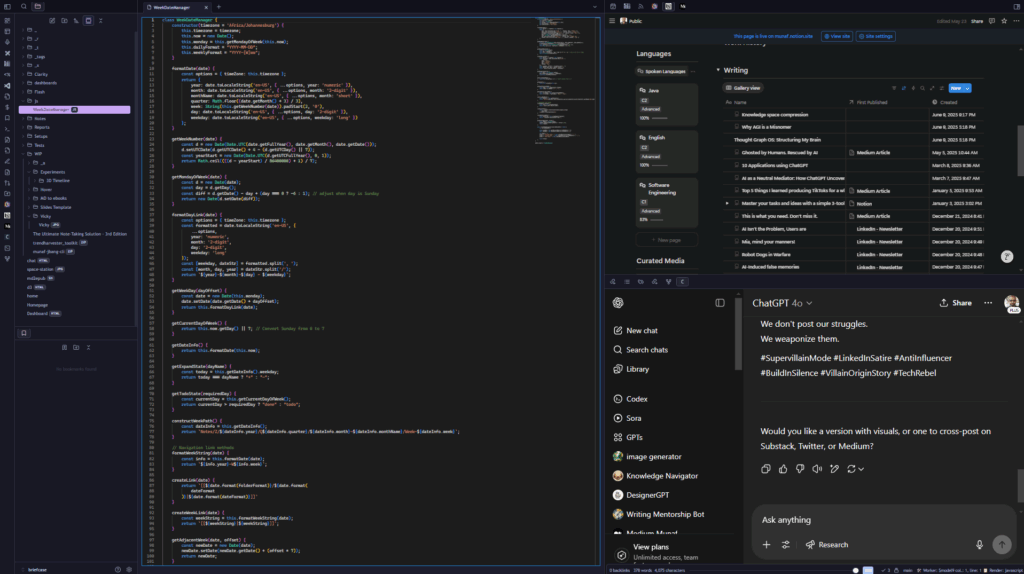
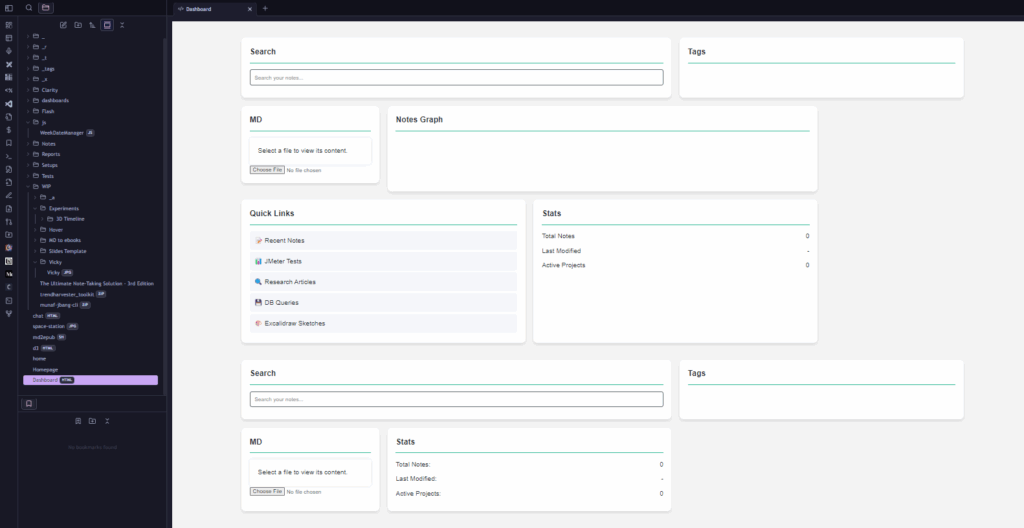
There is potential for Obsidian to take over as the universal champion of Note-Taking apps. See this HTML dashboard below. It’s Beautiful! But it doesn’t work because of the hoops one has to jump through to not just render, but integrate!
Conclusion: Keep Exploring
In conclusion, the true power of information is in how accessible the information is. With various lenses (applications), we can look at the same information in a new light.
Each lens comes with it’s plugins, extensions, and features. The power that you have at your disposal is mind-blowing. And yes, as a futurist, I believe the future of note-taking is in accessibility of your notes.
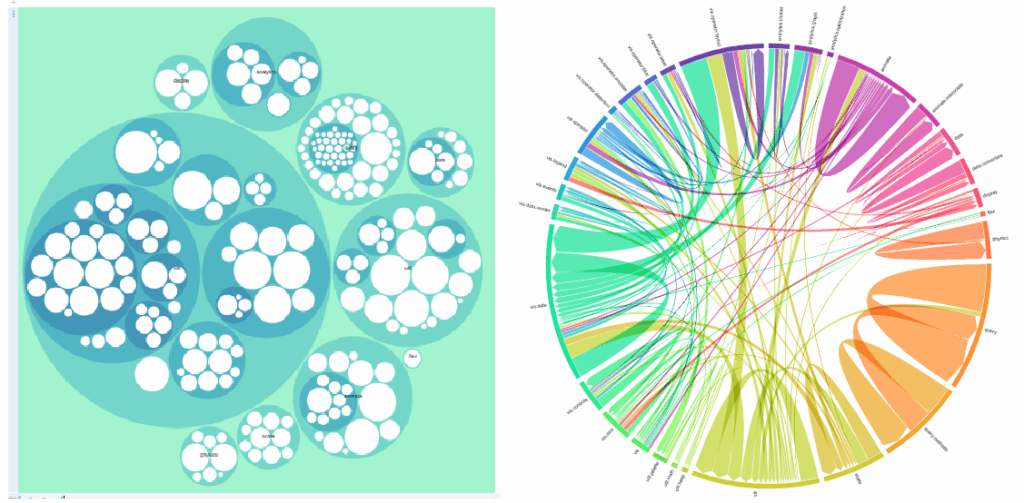
In the last edition, I called for more obsidian extensions being migrated over to VS Code. In this one, I am calling for fewer guardrails in Obsidian. Let us render what we want. Let us embed what we need.
Let us build dashboards that work without sandbox nonsense.
The only way for me to know if you want more is if you like and follow. That’s how I know you’re out there. That this conversation isn’t just me scribbling into the void.
And if you want the bonus pack — scripts, diagrams, dashboards — say the word. I’ll drop it like it’s encrypted.
A similar version went out on the BigBangThought newsletter at LinkedIn. Follow me on LinkedIn
Comments are closed